Chainway Things IoT Connector
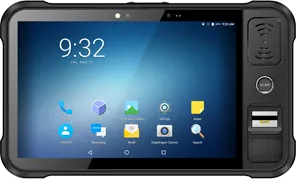
Chainway P80- Barcode Scanner
Enroll Chainway P80 with IoT Connector to manage and control the following settings:
Chainway Barcode Scanner

Success Sound
Enable/Disable Success Sound on successful scanning

Failure Sound
Enable Failure Sound on unsuccessful scanning

Enable Scanne
Enable Scanner to allow start/stop button for things IoT

Scan Result
Enable Scan Result to display scanned code on successful scanning in Things Info

Vibrate
Enable Vibrate to generate vibration on successful scanning.

Output Mode
Enable Output Mode to deliver output through four modes such as Broadcast, Clipboard, Cursor End, Keyboard Input.

Keyboard Input and Cursor End
Enable Keyboard Input and Cursor End to deliver Output to a document

Clipboard
Enable Clipboard to obtain output from the Clipboard by clicking Right click or Paste option

Enable Function
Enable Function to scan various codes such as Function 1D, Function 2D, ASCII and DECIMAL etc.

Broadcast
Enable Broadcast to generate Broadcast on successful scanning. Receive the broadcast with help of a third party app.