KioskMode
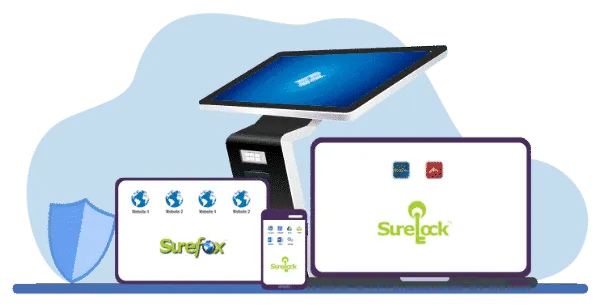
What is Kiosk Mode?
Types of Kiosk Mode

Single App Kiosk Mode
- Restricts the device to running only one designated application
- Blocks hardware keys
- Sets the device screen in full-screen mode

Multi-App Kiosk Mode
- Allows access to a limited selection of pre-approved applications
- Use for custom branding
- Protects device from Factory Reset
Browser Kiosk Mode
- Limits users to a specific web browser
- Restricts access to permitted websites
Key Features of 42Gears Kiosk Mode






Lockdown Devices in Kiosk Mode with SureLock and SureFox
Top Benefits of Kiosk Mode
Kiosk software can provide help in many situations. Even people who never thought to ask “what is kiosk mode?” may be able to keep devices safer using it.
Turning off-the-shelf devices into dedicated kiosks, signs, or dual-purpose digital signage kiosks.
How to Enable Kiosk Mode on Different Types of Devices?
You can use SureLock and SureFox to activate kiosk lockdown on many different operating systems and device types. Make Android phones, tablets, and VR headsets business-ready by enabling kiosk mode with SureLock and SureFox. Besides Android, you can also easily activate kiosk mode on Windows and Linux devices, as well as legacy Windows Mobile and Windows CE devices.

Kiosk for Android


Kiosk for iOS

Kiosk for Linux
Testimonials
Case Studies

Heritage Park uses Windows Kiosks to Immerse Visitors in History
→
Spectrum of Hope locks down Android and iOS Devices to Provide Top-Notch Therapy
→
Didi Food establishes Massive App-Based Delivery Network with 42Gears
→FAQs
Find answers to common questions about our service.