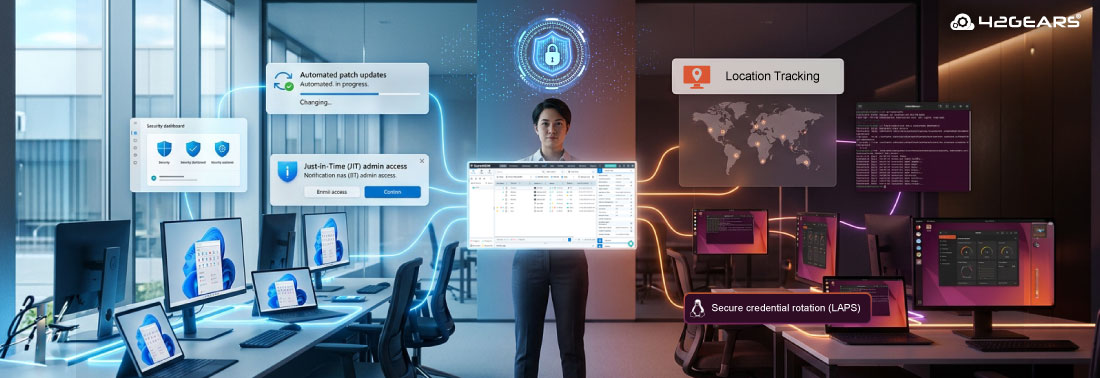
Patch automatically. Elevate user access only when needed. Rotate credentials securely. Track devices with confidence.
Wondering what I’m referring to?
If you’re an IT admin managing both Windows and Linux environments, you’ve probably already guessed — Automated Patch Management and Just-in-Time Admin Access controls for Windows devices, along with LAPS and Location Tracking for Linux devices.
Managing Windows and Linux shouldn’t mean juggling two completely different security strategies, switching tools, or compromising visibility. Modern Mobile Device Management (MDM) solutions like SureMDM offer unified, proactive device monitoring that reduces security risk without increasing operational overhead.
With the latest feature releases, SureMDM brings stronger automation, greater flexibility, and enhanced device visibility. At the end of the day, with SureMDM, PC management feels controlled — not chaotic.
Let’s dive in.
Windows Features Releases:
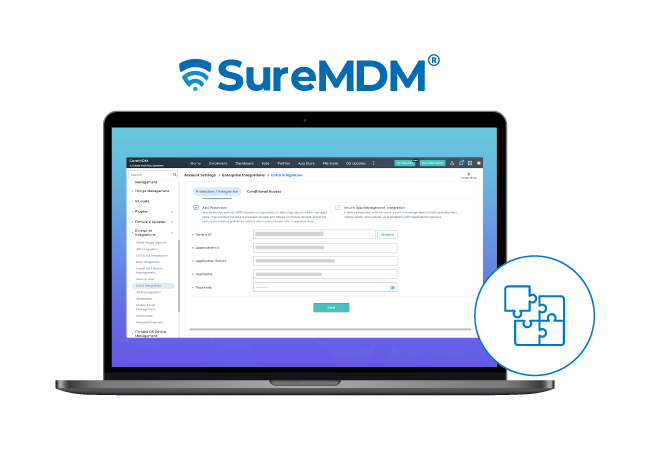
1. Intune App Management with SureMDM
With SureMDM’s Intune App Integration, you can pick from 8,000+ popular Windows apps and deploy them to Intune in just one click. No manual repackaging—SureMDM automatically converts apps into the required .intunewin format for you.
You still get full control over install settings, detection rules, and requirements—just like in the native Intune portal. When a new version of an app is released, you can also configure update settings—enable immediate auto-updates, delay updates by 7 or 10 days, or disable auto-updates altogether.
2. Windows Automated Patching
Windows Automated Patching works best with a deployment ring model—rolling out updates in controlled phases instead of all at once.
The system includes four preconfigured rings: Canary (0-day deferral) for early testing, Early Adopters (7/30 days) for limited rollout, Broad Rollout (15/45 days) for scaled deployment, and General Availability (30/60 days) for full fleet updates (Q = Quality, F = Feature updates).
This phased strategy helps catch issues early and maintain stability across your environment.
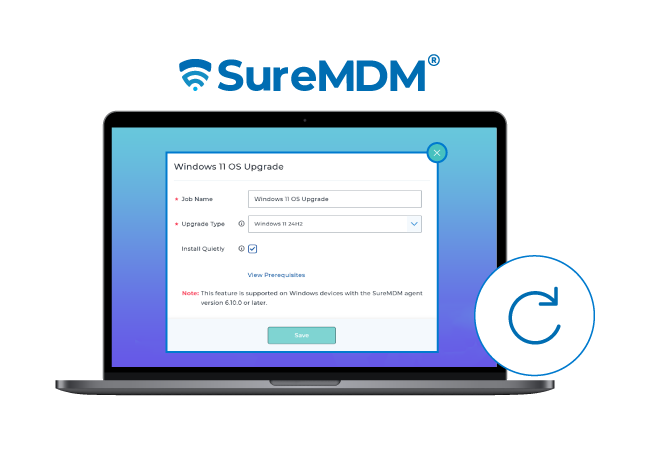
3. Windows 11 Upgrade Job
The Windows 11 OS Upgrade job in SureMDM makes it easy for IT admins to update eligible Windows 10 devices to Windows 11 through an enterprise-ready workflow. It streamlines large-scale OS migrations with a centralized, consistent deployment approach across the organization.
4. Just-in-Time (JIT) Admin Access
SureMDM JIT Admin lets IT teams grant temporary elevated privileges on demand—with complete visibility and control. Whether users need access to an app, script, or full account-level admin rights, permissions are time-bound, fully auditable, and revoked when the internet connection is lost.
Admin can create JIT requests and approve apps, accounts across a fleet of devices for approved apps to avoid duplication. Apart from admins, users can simply submit a request through the SureMDM Agent. Admins review the details (including full script content), then approve, deny, or modify the request. Once approved, users can run apps or scripts with elevated rights—without changing overall device restrictions. JIT requests are available as a self-service within agent for end-users and via console for admins
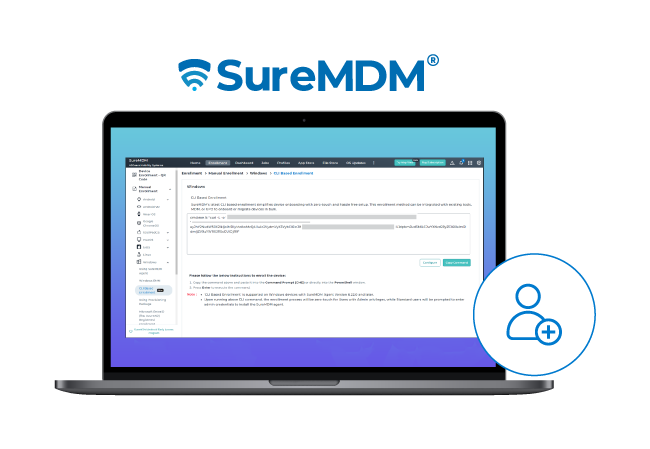
5. Windows CLI Enrollment
Windows CLI-based enrollment offers a fast and streamlined way to enroll Windows devices using a simple command, making it ideal for bulk deployments and environments with non-technical users. It supports silent, unattended installations, reduces user interaction to minimize setup errors, and can be easily scripted or integrated with deployment tools like GPO or SCCM for seamless large-scale rollouts.
6. Profile Insights
The Installed Profiles section provides a clear view of the configuration profile currently deployed on a device. Administrators can easily review profile details to verify applied settings and ensure compliance. If needed, the profile can also be removed directly, giving IT teams greater control and flexibility in managing device configurations.
Latest in Linux Features:
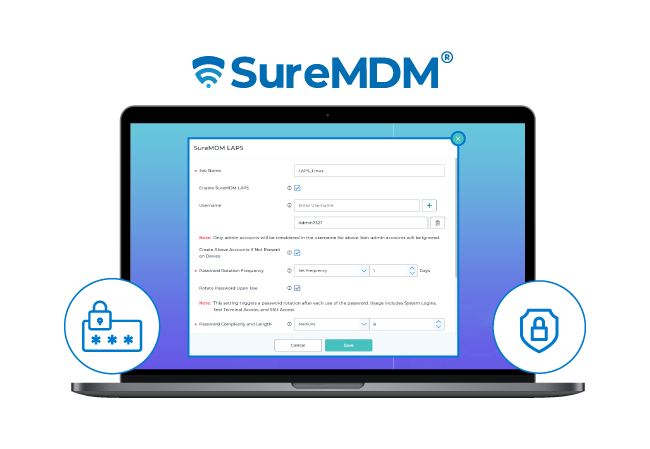
1. Local Administrator Password Solution (LAPS)
SureMDM LAPS ensures every device has a unique, complex local administrator password that’s automatically generated and securely stored in the SureMDM console. Passwords are regularly rotated—either after use or at defined intervals—eliminating shared credentials, reducing security risks, and strengthening compliance.
2. Windows Automated Patching
Location Tracking for Linux enables administrators to remotely activate location tracking on enrolled devices and define how frequently the device reports its location. This provides precise control over tracking intervals, ensuring accurate and timely location updates based on organizational needs.
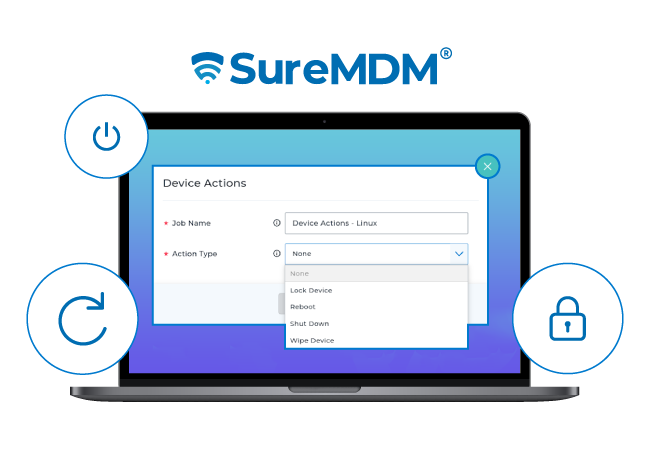
3. Device Actions
Linux Device Actions lets administrators remotely perform key management tasks—like Reboot, Shut Down, Lock, or Wipe—on enrolled devices. It provides a simple, centralized way to execute these actions across individual devices or groups, ensuring efficient control and management of your device fleet.
4. Auto-Update of Linux Agent
SureMDM now offers Auto Upgrade of Agent for Linux devices. Our update policy follows a “test and approve” philosophy by facilitating seamless updates for the last three releases (n-3) versioning model. This approach balances stability and innovation—allowing organizations to stay current while minimizing operational risks
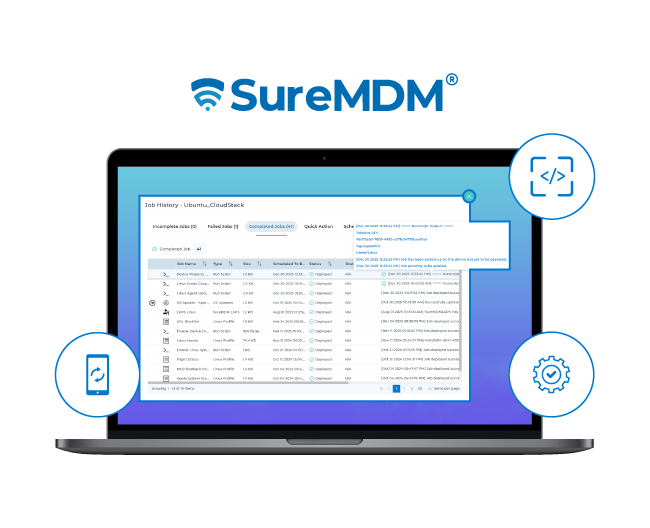
5. Script Output for Linux RunScripts
SureMDM enhances RunScript job reporting for better visibility and accuracy. Job History now captures the complete script output, helping admins review execution details easily. Also, job statuses automatically sync with the script’s success or failure state for more reliable records.
6. Profile Insights for Linux
The Installed Profiles section lets administrators view deployed configuration profiles, verify applied settings, and remove them if needed—ensuring better control over device compliance and management.
Final Thoughts:
Managing Windows and Linux devices doesn’t have to be complicated. With SureMDM, IT teams gain a unified platform that combines automation, security, and full visibility—whether it’s deploying apps, patching systems, granting temporary admin access, or tracking devices. By streamlining these processes, SureMDM reduces operational overhead, minimizes risk, and ensures devices stay secure and up to date. In short, it turns PC and Linux management from a juggling act into a controlled, effortless workflow—giving IT admins confidence and peace of mind.